
Custom CRM Development: Revolutionizing Inventory Management
Published on:
January 14, 2026
Custom CRM Development: Revolutionizing Inventory Management
Inventory is the pulse of a product business. When it misses a beat, everything downstream suffers: sales, procurement, cash flow, customer trust. Off-the-shelf CRMs often promise to solve this, yet they either drown teams in unnecessary modules or strip away the nuance that real operators need. A custom CRM can reset the game by putting inventory, orders, and analytics at the center of daily work, with speed and clarity as the default.
That is exactly what a product-focused founder with deep CRM experience set out to build. The aim was straightforward: give Ukrainian small and medium businesses in retail, logistics, and distribution a system that feels natural on day one, adapts to their processes, and scales with their growth. No bloat, no gaps. Just a sharp tool for the jobs that matter.
Why many CRMs miss for inventory-heavy businesses
Generic systems usually fall into two camps. One camp is overloaded with modules designed to cover every possible business model, which adds friction to simple tasks like updating a price or logging an arrival. The other camp offers basic lists and notes that cannot support status transitions, multi-warehouse stock, or detailed reporting.
Inventory requires more than a customer card and a pipeline. It calls for tight control of product data, stock movements, order states, and timing. Without clear transitions, orders go missing. Without low-stock alerts, procurement lags behind demand. Without analytics stitched directly into daily screens, managers fall back to ad-hoc spreadsheets.
A custom CRM can resolve this by building around the real flow of goods. The design key is selective depth. Go deep on products, orders, and stock, while keeping everything else intentionally light.
A founder shaped by operations and CRM history
The client behind this platform is not a theorist. Years of hands-on operations and CRM adoption shaped a strong sense for what teams actually use vs what they ignore. That experience cut through noise during design, leading to a product that reflects common realities in Ukrainian SMBs: fluctuating demand, multi-warehouse operations, hybrid online and offline sales, and frequent context switching by managers.
From the outset, the system focused on three priorities: speed, control, and insight. Speed to keep updates and order processing quick. Control to reduce lost orders through status discipline. Insight to move managers from spreadsheet firefighting to structured analytics.
Inventory visibility without hunting through menus
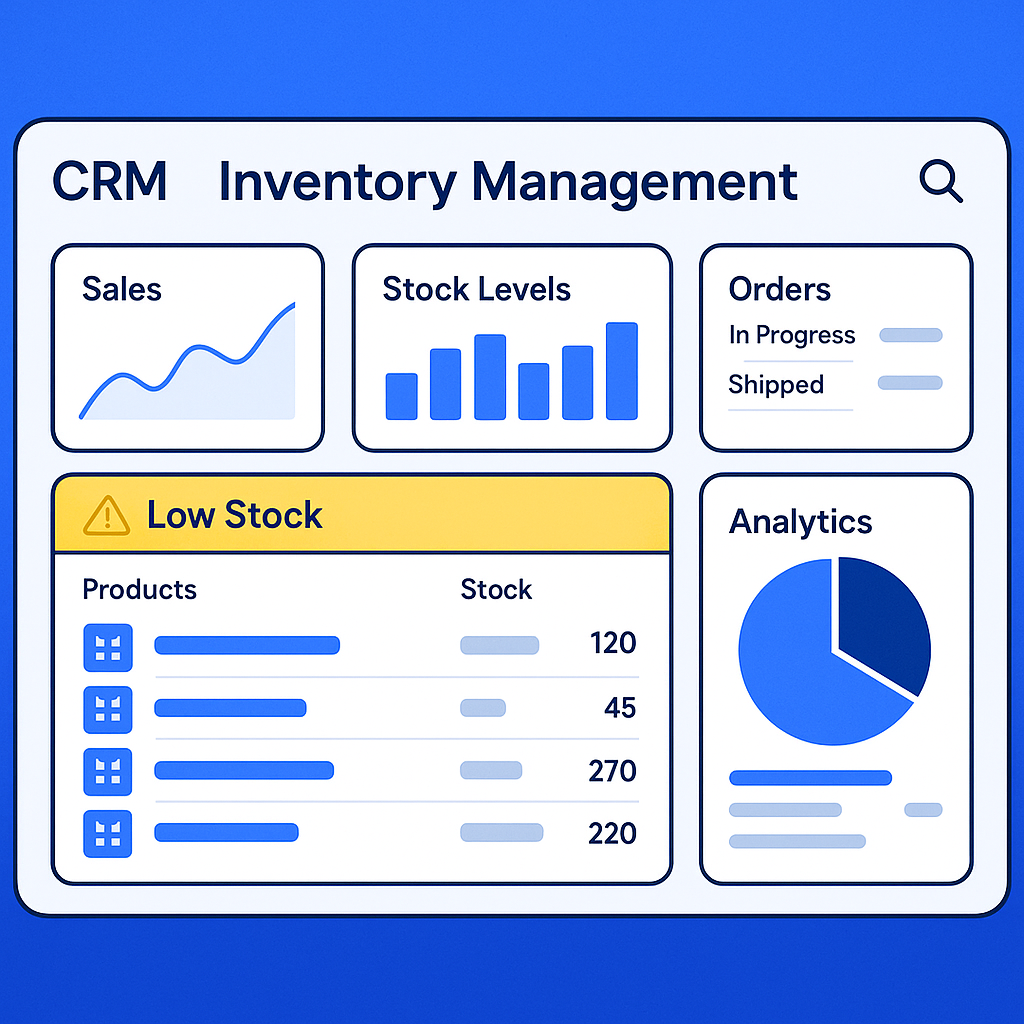
The home screen is a real-time dashboard that surfaces sales, revenue trends, and stock levels across warehouses. It is not a report you schedule or export. It is the first thing you see, all day long, pulling in the data most teams used to chase across multiple tools.
Low-stock alerts and reorder points are front and center. Managers can set thresholds, define preferred suppliers, and pre-fill purchase orders with one step. The aim is to keep procurement proactive, not reactive.
A quick snapshot of impact shows how these choices affect day-to-day outcomes:
Area | Before Custom CRM | After Custom CRM |
|---|---|---|
Inventory data updates | Slow updates, many screens | Faster updates with a simplified UI, fewer clicks |
Order reliability | Missing orders, unclear status | Clear statuses and transition rules reduce loss |
Reporting habits | Sporadic spreadsheets | Managers rely on built-in analytics for decisions |
Stock control | Manual checks across systems | Unified view across warehouses, live alerts |
Procurement timing | Late reorders, surplus risk | Threshold-based prompts and auto-filled POs |
Workflows that remove friction
Adding products and processing orders is designed to be quick. Product creation happens on one screen: title, SKU, category, pricing, initial stock, and warehouse assignment. No scavenger hunt, no hidden tabs. That means a store manager can register a new batch, set its price, and make it available to sales in minutes.
Orders travel through a clearly defined status model with transition control. A new order can move to Confirmed, then Allocated, then Shipped, with automated checks along the way. If stock is insufficient, the system flags it and suggests a partial allocation or a backorder. If an order is cancelled, stock reverts automatically. This discipline is what reduces lost orders. It also makes audit trails trivial.
A full mobile version with offline mode keeps floor staff productive during internet interruptions. Pickers can mark items as picked, movers can log transfers between warehouses, and retail associates can take orders, all without waiting for a connection. Data syncs cleanly when connectivity returns.
Analytics that inform daily decisions
The analytics module grew where it matters. Demand heatmaps show how products move by region, store, weekday, and time of day. Category performance highlights margin erosion and slow movers. Forecasting pulls seasonality and recent trends to estimate reorder windows, with confidence bands visible to buyers.
The most important change is behavioral. Managers now open the analytics screens during daily standups and planning sessions, rather than building ad-hoc Excel files. Report usage increased because the reports sit where work happens, share the same product dimensions and statuses, and run without exports.
“This CRM eliminated a ton of manual routine for us. Stock levels are always under control, no more lost orders, and we finally see where we’re losing money.”
Opinionated integrations without bloat
Inventory cannot live in a vacuum, so the platform ships with targeted integrations that matter most to product businesses:
- POS systems for retail counters, syncing sales and returns in real time
- An API for external platforms like Shopify, keeping catalogs and orders in sync
- Accounting-ready exports, so finance can reconcile without rekeying data
Integrations are kept simple and reliable. Sync conflicts get transparent rules, and administrators can simulate mappings before they go live. No add-on marketplace maze required.
The AI assistant as an every-shift copilot
AI in this context is practical. It suggests replenishment quantities based on demand patterns and desired service levels. It flags anomalies, such as a sudden spike for a SKU in one region, and prompts a quick transfer from an overstocked warehouse. It can draft supplier emails with quantities and preferred delivery dates, ready for a manager to approve.
The assistant also shortens training time. A new employee can ask, “Show me orders where payment is confirmed but allocation is pending,” and receive a filtered view with a one-click action to allocate. This reduces the learning curve without dumbing down the system.
What changed for managers and teams
Teams report a clear uptick in speed and confidence. Inventory updates are faster, thanks to a simplified UI and fewer clicks. Lost orders drop because statuses are constrained by rules, not by memory. Reports get used daily, which shifts conversations from anecdotes to numbers.
- Faster day-to-day tasks: price edits, product updates, order confirmations
- Clearer accountability: built-in status transitions with audit history
- Better decisions: demand heatmaps and forecasts at the fingertips
- Reporting habit shift: managers rely on analytics built into the CRM, not separate Excel or Google Sheets files
- Order integrity: standardized states, blocked invalid moves, and alerts when an order stalls
- Stock discipline: low-stock warnings, intelligent reorder points, and multi-warehouse balance
Architecture choices that protect operational reality
Under the hood, the platform tracks stock at the SKU-location level with versioned movements. Every adjustment, transfer, sale, and return records a delta and a reference. That structure makes reconstruction and audits simple. The order state machine is configurable but guarded. You can add states and actions, yet each transition must meet conditions, which keeps data clean.
Role-based permissions ensure teams see what they need. Sales can create and manage orders. Warehouse staff can allocate and ship. Management can change price lists and analyze performance. Offline-first design uses a local cache with conflict resolution rules tuned to inventory realities, where allocation integrity beats last-write-wins.
Under the hood, custom CRM development enables the platform to track stock at the SKU-location level with versioned movements, ensuring every adjustment, transfer, sale, and return is precisely recorded. This approach simplifies audits and data reconstruction. The order state machine, a hallmark of custom CRM development, is both configurable and secure—allowing new states and actions while enforcing strict transition conditions for data integrity. Role-based permissions, another benefit of custom CRM development, ensure each team member accesses only what they need: sales manage orders, warehouse staff handle allocations, and management oversees pricing and analytics. The offline-first design, made possible by custom CRM development, uses a local cache and advanced conflict resolution tailored to inventory needs.
Benefits of Custom CRM Development
Custom CRM development offers significant advantages for businesses seeking tailored solutions that align with their unique processes. One of the primary benefits is seamless integration with existing platforms and software, ensuring that all business tools work harmoniously. This integration streamlines data flow, reduces manual entry, and minimizes errors. Custom CRMs also provide advanced reporting capabilities, empowering management with real-time insights into sales performance, inventory levels, and customer behavior. These detailed analytics support data-driven decision-making and strategic planning. Additionally, a custom CRM platform can be designed to fit specific sales workflows, automate routine tasks, and adapt to evolving business needs, resulting in improved efficiency, better customer relationships, and a competitive edge in the market.
Feature/Aspect | Custom CRM Development | Existing CRM Solutions |
|---|---|---|
Integration Flexibility | Full integration with any platform or software. Custom APIs and connectors can be built to match business needs. | Limited to pre-built integrations; custom connections may require extra cost or are not supported. |
Localization | Tailored to local languages, currencies, tax schemas, and document types. | Often requires manual adjustments or third-party plugins for full localization. |
Multi-Warehouse Support | Designed for specific logistics, including city-based variability and transit times. | Generic multi-warehouse features, less adaptable to unique regional logistics. |
Offline Mode | Built specifically to address real connectivity gaps; uninterrupted operations. | Usually dependent on internet connectivity; offline mode is rare or limited. |
Channel Blending | Supports retail POS, distributor orders, and online platforms in a unified workflow. | May require multiple modules or separate systems to handle blended channels. |
Pricing Structures | Customizable tiered discounts and promotional pricing for different customer segments. | Standard pricing models; complex structures may be difficult to implement. |
Reporting & Analytics | Advanced, customizable reports tailored to management’s needs. | Standard reports with limited customization; advanced analytics may require add-ons. |
Scalability & Adaptability | Easily adapts to evolving business processes and growth. | Changes often require costly upgrades or are limited by vendor roadmaps. |
Custom CRM development empowers businesses with a platform that truly fits their operations, while existing CRM solutions may require compromises or workarounds.
Implementation blueprint for a successful rollout
Rolling out a custom CRM can be smooth when planned with the right sequence. Teams that follow a phased model usually avoid disruption and get quick wins in the first month.
- Define the truth: identify the source of truth for products, prices, and stock, then migrate clean data only
- Lock the states: design order statuses and transitions with clear ownership and SLAs
- Start small: pilot with one warehouse and a limited set of SKUs, then expand
- Train with context: teach tasks in the actual workflows, not in abstract slides
- Instrument everything: baseline KPIs before launch and track them weekly after go-live
KPIs worth tracking from day one
Adoption is visible in the numbers. Watch the time to update product data, the frequency and duration of status stalls, the count of lost or unfulfilled orders, and the number of report views per user per week. Monitor stockouts against service level targets, and measure the delta between forecasted and actual demand by category.
A short cadence helps. Weekly reviews keep feedback tight, and minor UI tweaks often unlock more speed than big new modules. The best signal is when frontline staff stop exporting to spreadsheets because the CRM already presents the view they need.
From scattered tools to a system teams enjoy using
When a CRM respects how inventory really moves, teams stop fighting the software. The dashboard makes conditions clear. Workflows trim clicks. Analytics inform action. Integrations keep data synchronized without drama. AI assists without taking over.
This is how product businesses keep stock steady, orders reliable, and decisions grounded in live numbers. If your inventory still depends on manual updates and scattered sheets, it might be time to pick up a sharper tool.
© 2025 ValsyDev, Inc. All rights reserved
You may also like


© 2025 Valsydev, Inc. All rights reserved
.png)
.png)
.png)

.svg)